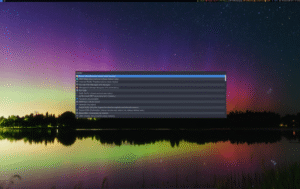
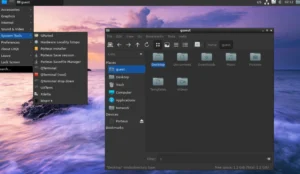
CuerdOS is a Debian-based GNU/Linux distribution engineered for stability, efficiency, and maximum performance. Built for users who demand a fast, predictable, and finely tuned system, CuerdOS introduces a series of performance enhancements that go beyond what traditional Debian installations provide. Through deliberate kernel patching and the integration of the Ananicy daemon for automatic process prioritization, the system ensures a responsive computing experience across desktops, laptops, and workstations.
The distribution is available in multiple editions tailored for different user needs. The “Standard” release ships with the Sway Wayland compositor for a lightweight yet modern workflow, while the “Legacy” and “Community” editions include additional desktops like Budgie, Cinnamon, LXQt, MATE and Xfce. This flexibility positions CuerdOS as both a performance-centered distribution and a versatile platform for various hardware types.

What Makes CuerdOS Different
CuerdOS separates itself from typical Debian-based distributions through its deep optimization work. The development team focuses not only on stability—which Debian is well known for—but also on extracting more performance from the same hardware. By applying kernel patches, tuning system defaults, and using intelligent scheduling with Ananicy, the distribution achieves a noticeably smoother experience in real-world use.
- Kernel patching for improved responsiveness and memory management.
- Ananicy daemon to automatically optimize CPU and I/O scheduling.
- Wayland-first environment via Sway for the “Standard” edition.
- Multiple desktop options across Legacy and Community builds.
- Debian-based stability combined with lightweight performance tuning.
Performance Enhancements That Matter
At the core of the CuerdOS philosophy lies performance tuning. The system implements targeted optimizations that impact how processes and system resources behave under load. These enhancements benefit a wide range of users—from everyday desktop tasks and development workloads to gaming and multimedia workflows.
Kernel-Level Improvements
CuerdOS applies patches to the Linux kernel to refine latency, responsiveness, memory allocation, and I/O operations. These patches help reduce micro-stutters, speed up task scheduling, and make the desktop feel more immediate—even on aging hardware. Users working with heavy multitasking or parallel workloads will feel the difference instantly.
Automated Resource Optimization with Ananicy
Ananicy is one of the standout tools included in CuerdOS. The daemon intelligently manages CPU and I/O priorities by identifying running applications and applying predefined rules. For instance, resource-heavy apps get the required CPU boost while background processes are deprioritized. This ensures smooth foreground performance without system slowdowns.
- Better responsiveness while switching between apps.
- Reduced lag during compilation, gaming, or media editing.
- Automatic priority control with minimal configuration.
The Desktop Variants of CuerdOS
CuerdOS understands that different users have different workflows, so it offers three main categories of desktop environments. Each edition is tailored to match the performance goals of the distribution while accommodating diverse hardware profiles.
Standard Edition: Sway on Wayland
The Standard version of CuerdOS uses the Sway compositor—an i3-inspired, tiling window manager built for Wayland. This edition delivers excellent efficiency, low memory consumption, and a modern display stack. It is particularly suited for developers, power users, and minimalists who want a fast, distraction-free environment.
- Extremely low resource usage.
- Keyboard-driven workflow.
- High performance on both new and older hardware.
- Wayland advantages like smoother rendering and improved security.
Legacy Edition: Traditional Desktop Workflows
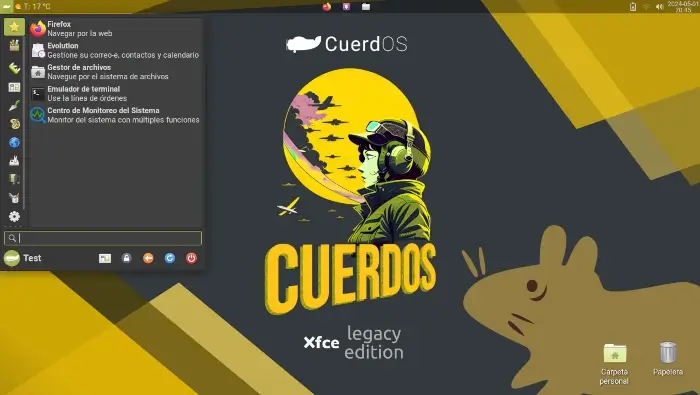
For users who prefer classic desktop metaphors or need compatibility with certain software, the Legacy edition provides desktops such as Cinnamon, MATE, and Xfce. These environments offer comfortable navigation, intuitive layout, and lower learning curves—ideal for new Linux users or people switching from Windows.
Community Edition: A Broader Selection
The Community edition expands the options further by including desktop environments like Budgie and LXQt. These spins are built and maintained by the community, offering greater customization and variety. They allow users to choose the environment that best fits their taste or hardware constraints.
- Budgie for a modern and elegant experience.
- LXQt for extremely lightweight performance.
- Ideal for older laptops or low-power systems.
System Requirements and Hardware Compatibility
CuerdOS is designed to run efficiently on a wide range of systems. Thanks to its performance-focused enhancements, it performs exceptionally well on mid-range machines while also scaling up for more powerful hardware. Users can choose between lightweight desktops or more feature-rich options depending on available resources.
- CPU: Dual-core recommended
- RAM: 2 GB minimum; 4 GB+ ideal for desktop editions
- Storage: 10–20 GB for installation
- GPU: Any GPU supported by Debian’s drivers
- Display: Wayland-friendly for Sway; Xorg compatible for Legacy builds
Daily Use Experience
Users will notice that CuerdOS boots quickly, launches applications with minimal delay, and stays responsive during multitasking. The combination of kernel tuning and Ananicy ensures a smooth workflow, even during heavy operations. Web browsing, software development, multimedia editing, and terminal-based workflows all benefit from these optimizations.
The distribution also stays aligned with Debian’s package stability, meaning users receive updates that prioritize reliability over bleeding-edge changes—perfect for long-term desktop setups or production machines.
Community, Documentation, and Support Resources
CuerdOS maintains documentation on installation, configuration, and optimization. Users can also join community channels where they can share tips, custom workflows, and performance tunings. The distribution encourages community involvement, especially for the Community Edition desktops, helping grow a robust and knowledgeable ecosystem.
Get Started with CuerdOS
To download the latest CuerdOS image, explore available desktop editions, or review installation guides, visit the official website: Get Download of the ISO. The project provides clear documentation to help new users install, configure, and optimize their system in minutes.