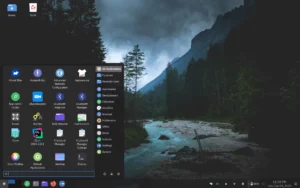
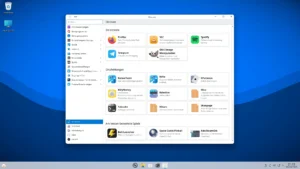
Catbird Linux is a highly specialized, Debian-Unstable-based desktop distribution designed for technical users, creators, and developers who require a minimalist, yet powerful environment. Built around the lightweight dwm window manager, Catbird provides a fast, responsive, and highly customizable experience. It is particularly suitable for media creation, software development, data analysis, and artificial intelligence experimentation, all within a live USB environment that ensures portability and flexibility.
Unlike general-purpose distributions, Catbird Linux emphasizes efficiency, speed, and a focused toolset. By integrating essential creative applications, programming languages, and command-line utilities directly into the base system, it provides users with a robust platform capable of handling demanding workloads without unnecessary bloat. Whether performing audio editing, image manipulation, video production, or AI model development, Catbird equips users with a comprehensive suite of modern tools.

Minimalist Desktop with dwm
The dwm window manager is at the core of Catbird Linux, offering a lightweight, tiling window environment that maximizes screen real estate and minimizes distractions. By keeping the interface minimal, dwm encourages users to adopt a keyboard-driven workflow, enhancing productivity and focus. Advanced users can modify dwm’s configuration directly, enabling fine-tuned control over window behavior, keybindings, and layouts.
This minimalist approach not only conserves system resources but also complements Catbird’s live USB environment. Users can run the system efficiently on older hardware or portable devices, making it ideal for classrooms, hackathons, or on-the-go development scenarios.
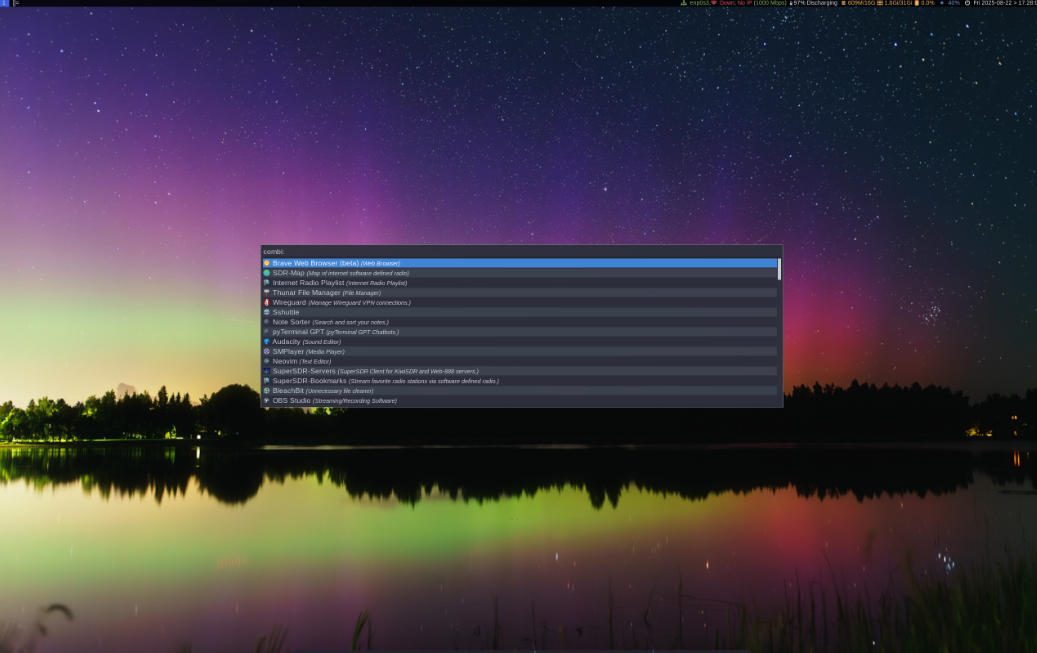
Creative Tools for Media Production
Catbird Linux comes preloaded with a wide selection of applications for content creation, enabling users to perform professional-grade tasks immediately after booting the live environment. Some of the key tools include:
- Audacity for audio recording, editing, and mastering.
- GIMP and Inkscape for image editing and vector graphics.
- ImageMagick for batch image processing.
- OBS Studio and Shotcut for video production and live streaming.
- LibreOffice for office productivity tasks.
By integrating these applications, Catbird Linux provides a ready-to-use creative workstation, suitable for digital artists, content creators, and multimedia enthusiasts who want a portable, high-performance system.
Programming and Data Science Environment
Beyond creative tools, Catbird Linux equips developers and data scientists with a suite of essential software and programming languages. This includes:
- Go and Lua programming languages for system and application development.
- Python and popular AI/ML libraries preconfigured for data analysis and model development.
- Command-line utilities for web scraping, data manipulation, and automation.
- Text editors, terminal multiplexers, and system monitoring tools for advanced workflows.
This combination transforms Catbird Linux into a flexible platform capable of handling everything from scripting and automation tasks to complex artificial intelligence workflows.
Live USB Environment and Installation Options
Catbird Linux is primarily designed to operate as a live USB environment, allowing users to run the system directly from a flash drive without installation. This approach offers maximum portability and convenience, ideal for demonstrations, workshops, or secure on-the-go computing.
For users who prefer permanent deployment, Catbird provides multiple options to install the system to a hard drive. The installation process remains lightweight and customizable, maintaining the system’s minimalist philosophy while enabling persistent storage, user accounts, and system-wide configuration.
Optimized Debian-Unstable Base
By basing the distribution on Debian’s Unstable branch, Catbird Linux provides cutting-edge software packages while retaining the reliability and package management advantages of Debian. Users benefit from frequent updates, modern development tools, and access to the latest upstream releases without the overhead of a rolling-release system.
The Debian-Unstable foundation ensures compatibility with a vast ecosystem of packages, making it easier to install additional software, libraries, and development frameworks as needed. Advanced users can leverage apt and dpkg to extend the system while maintaining a lightweight and coherent environment.
Powerful Command-Line Tools
For technical users, command-line efficiency is critical. Catbird Linux ships with a curated set of CLI tools for system monitoring, network analysis, development, and automation. These tools provide:
- Full system visibility and performance analysis.
- Efficient scripting for repetitive tasks and automation.
- Seamless integration with creative and data science workflows.
- Enhanced productivity for users comfortable in terminal-centric environments.
By combining these tools with a minimalist desktop, Catbird Linux provides a platform that balances resource efficiency with full-featured functionality.
Target Audience and Use Cases
Catbird Linux is tailored for advanced Linux users, developers, multimedia creators, and data scientists who require:
- Lightweight, highly responsive desktop environment.
- Preconfigured creative and development tools.
- Portable live USB operation for mobility and secure computing.
- Flexibility to install on permanent storage with minimal overhead.
- Access to the latest Debian-Unstable packages for cutting-edge software.
It is particularly effective for on-the-go workstations, media production environments, coding workshops, and research projects that benefit from a portable yet powerful Linux system.
Get Download of the ISO
To explore Catbird Linux, review its documentation, or download the ISO, simply visit the official website: Get Download of the ISO.