TileOS is a desktop-oriented Linux distribution based on the latest stable release of Debian, designed for users who prefer tiling window managers and optimized performance. The system features a selection of Wayland tiling compositors including Sway, River, Qtile, and miracle-wm, providing a modern and highly efficient desktop experience. TileOS combines the stability of Debian with back-ported packages such as Mesa graphics drivers, ensuring both reliability and access to newer features.
Ideal for power users, developers, and Linux enthusiasts, TileOS comes with numerous device drivers, non-free firmware, and a set of performance optimizations and system tweaks that enhance responsiveness and usability. The inclusion of additional repositories allows users to easily install popular software not found in Debian’s default repositories, such as OnlyOffice, VirtualBox, Librewolf, Visual Studio Code, and Brave.

Debian-Based Stability with Back-Ported Enhancements
TileOS leverages the proven reliability of Debian Stable, ensuring a solid foundation for daily computing. To bridge the gap between stability and modern functionality, certain packages, including critical graphics drivers like Mesa, are back-ported from Debian Testing. This approach provides users with updated software while maintaining the robust stability expected from Debian.
Users benefit from a dependable system that handles demanding workflows, multimedia applications, and development tasks, all without compromising system integrity.
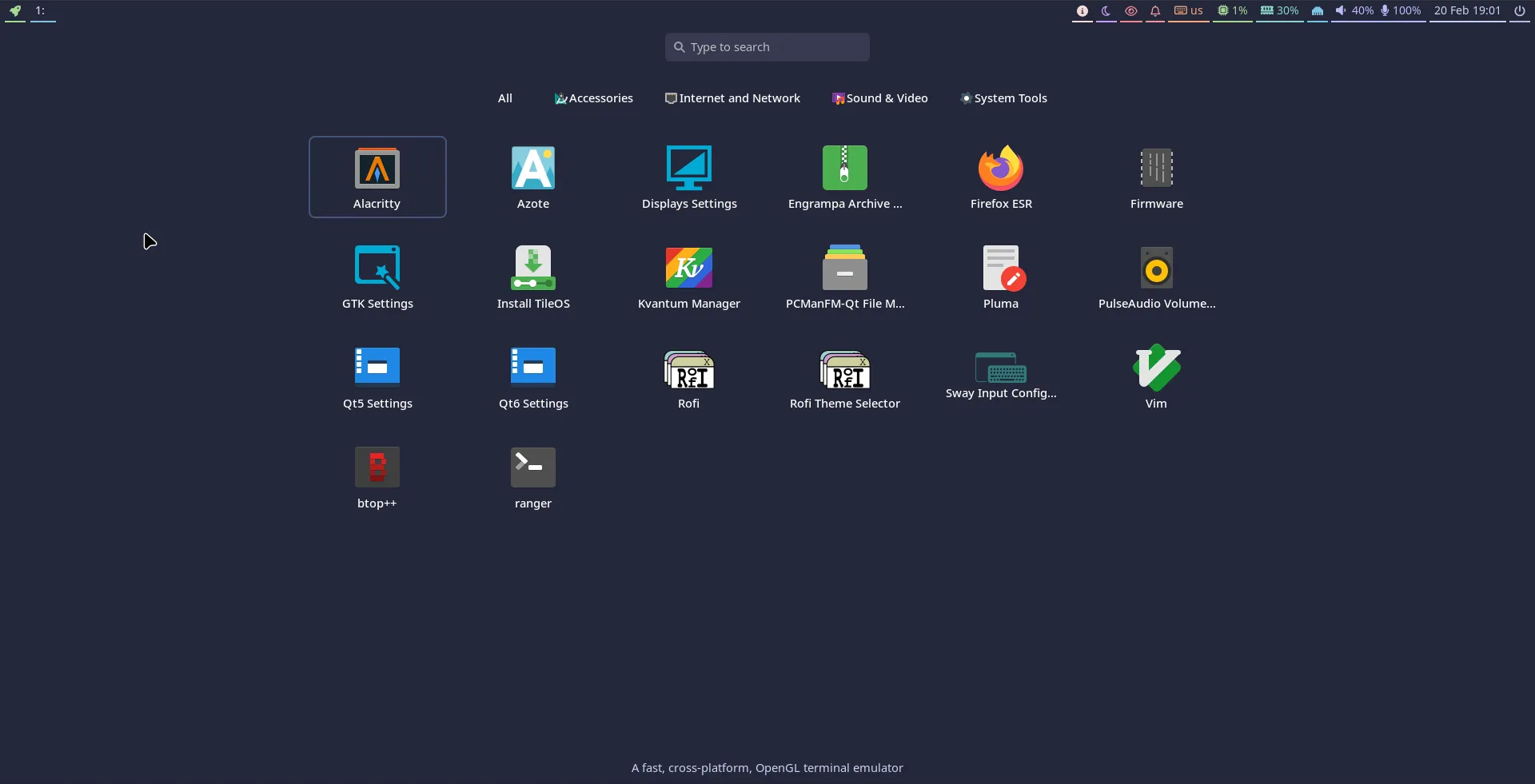
Wayland Tiling Compositors for Power Users
The standout feature of TileOS is its support for multiple Wayland tiling compositors. Sway, River, Qtile, and miracle-wm provide advanced window management capabilities tailored for keyboard-centric workflows, maximizing screen real estate, and improving productivity for developers and technical users.
Each compositor has a unique approach and customization options, allowing users to select the environment that best suits their workflow. This flexibility makes TileOS particularly appealing to enthusiasts who value efficiency and control over their desktop experience.
Enhanced Hardware Support and Performance Tweaks
TileOS includes a comprehensive set of device drivers and non-free firmware, ensuring compatibility with a wide range of hardware out of the box. Additional performance optimizations and system tweaks improve responsiveness, reduce latency, and provide a smoother user experience across various computing tasks.
Whether running on laptops, desktops, or custom workstations, TileOS is designed to handle both modern hardware and legacy systems, making it versatile for multiple use cases.
Software Repositories and Applications
TileOS provides additional repositories to access software not included in the standard Debian Stable release. Users can easily install office suites like OnlyOffice, development tools like Visual Studio Code, browsers like Librewolf and Brave, and virtualization solutions such as VirtualBox. This simplifies setup for both productivity and technical tasks.
The combination of pre-configured software, tiling window managers, and performance tweaks makes TileOS a highly adaptable platform for daily work, programming, multimedia tasks, and system experimentation.
Installing TileOS
TileOS uses the graphical Calamares installer for a straightforward installation process. Beginners benefit from guided installation steps, while experienced users can configure partitions, bootloaders, and multi-disk setups to suit their specific requirements. This makes TileOS accessible to a broad range of users while still supporting advanced installation scenarios.
Who Should Use TileOS?
- Advanced Linux users seeking tiling window managers
- Developers who need a stable, high-performance Debian-based system
- Users who want access to updated software through back-ported packages
- Those needing broad hardware support and pre-included drivers/firmware
- Enthusiasts looking for an efficient, keyboard-focused desktop environment
TileOS is suitable for both technical newcomers to tiling environments and seasoned Linux professionals who demand stability, performance, and control. Its combination of Debian’s reliability, modern Wayland compositors, and pre-configured software ensures a productive experience from first boot.
Get Download of the ISO
To explore TileOS, review its documentation, or download the ISO, simply visit the official website: Get Download of the ISO.