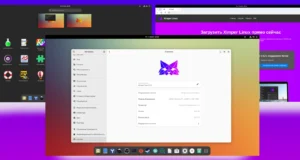
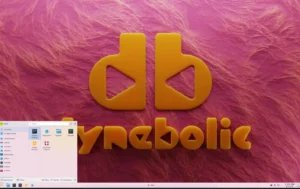
Slimbook OS is an Ubuntu-based Linux distribution engineered for performance, consistency, and usability on Slimbook hardware assembled in Spain. It delivers a refined desktop experience with either GNOME or KDE Plasma in a single ISO while adding custom enhancements, productivity tools, Flatpak-first packaging, and hardware-integrated utilities. The goal is to provide a smooth and efficient environment suitable for daily work or professional use.
What Slimbook OS Is Designed to Deliver
The distribution enhances Ubuntu’s foundation with desktop improvements, system optimizations, and Slimbook-specific software that elevates the user experience. It reduces bloat, avoids snap packages by default, integrates Flatpak and DEB repositories, and introduces helpful tools that increase workflow speed and comfort. This focus on polish makes Slimbook OS appealing beyond Slimbook devices, offering a clean and cohesive Linux desktop for any compatible machine.

- A unified ISO with GNOME and KDE Plasma desktops.
- A curated system optimized for Slimbook hardware.
- Flatpak-first package approach instead of snaps.
- Productivity tools included by default.
Desktop Options and User Experience
Slimbook OS includes GNOME and KDE Plasma on the same image, allowing users to decide their preferred environment during installation. Both desktops receive Slimbook’s custom configurations, ensuring smooth interactions, intuitive behavior, and visual consistency. The distribution enhances each environment while keeping them lightweight and efficient.
- GNOME edition with performance tuning and extensions.
- KDE Plasma edition with cohesive theming and optimized defaults.
- Touchpad gestures enabled out of the box.
- Window tiling features to improve multitasking.
Package Management with Flatpak and DEB Priority
A distinctive feature of Slimbook OS is its prioritization of Flatpak and traditional DEB packages instead of Ubuntu’s snap system. This choice ensures faster installations, predictable performance, and compatibility with a wider range of software. Slimbook also maintains its own repositories for selected tools and utilities, offering users updated packages and hardware-specific improvements.
- Flatpak enabled and ready after installation.
- Slimbook repositories for custom packages.
- Reduced snap usage for a lighter system.
- Better compatibility with upstream applications.
Included Productivity Tools and Utilities
Slimbook OS equips users with a set of applications that streamline navigation, searching, terminal work, and overall productivity. These additions help deliver a functional system from the first boot and reduce the need for extensive post-install adjustments.
- Ulauncher for fast application and file searching.
- Terminator terminal emulator for advanced workflows.
- Day/night mode switcher to control display temperature and comfort.
- Window tiling tools that support multitasking.
- Gesture support for touchpad navigation.
Slimbook Service Integrations
Since Slimbook OS is optimized for Slimbook laptops and desktops, it includes service notification features to improve hardware management. These tools enhance stability, monitor device performance, and deliver helpful prompts related to system behavior—all while maintaining a clean user experience.
- Firmware notifications and integration.
- Slimbook-specific service alerts.
- Consistent power and performance optimizations.
User Experience Enhancements
The distribution includes refinements that make everyday usage faster and smoother. These improvements are practical, non-intrusive, and focused on providing a system that feels modern and responsive without unnecessary complexity.
- Improved gesture navigation for browsing and desktop control.
- Enhanced window tiling for better workspace organization.
- Optimized performance on Slimbook devices.
- Extended compatibility across general hardware.
Who Should Consider Slimbook OS?
Slimbook OS is suitable for a wide range of users, from newcomers to experienced Linux enthusiasts. Its clean interface, hardware tuning, and simplified package model make it appealing for productivity-focused workflows and professional environments.
- Users of Slimbook hardware seeking the best performance.
- Professionals needing a stable Ubuntu foundation.
- Enthusiasts who prefer Flatpak and DEB over snaps.
- Individuals wanting a polished KDE or GNOME desktop.
Why Slimbook OS Stands Out in 2025
Slimbook OS distinguishes itself by delivering a refined Ubuntu-based desktop with thoughtful system enhancements and hardware-aware features. Its Flatpak-first strategy, cohesive design, efficient workflow tools, and stability-focused configuration make it a strong option for users seeking a dependable and modern Linux system. The distribution offers a balance of performance, simplicity, and desktop sophistication.
Key Takeaways for Prospective Users
To explore Slimbook OS, review its documentation, or download the ISO, visit the official website: Get Download of the ISO.