LainOS is a lightweight desktop system built on top of Arch Linux, created with a clear focus on simplicity, aesthetics, and a clean developer-friendly experience. Instead of trying to be a complex security toolkit or a heavy distribution, it concentrates on delivering a polished environment powered by modern Linux components.
A Visual Experience Inspired by Precision and Intent
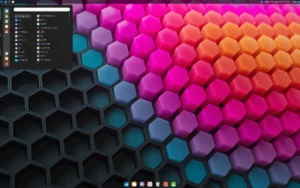
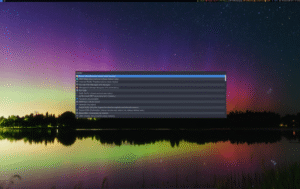
LainOS is a Linux distribution offering two interface options: the Hyprland Wayland compositor and the Openbox window manager. As a result, users can choose between a dynamic, modern layout or a minimal floating setup. Both options feature curated visuals designed for clarity, consistency, and smooth daily use.
- Hyprland for a fluid Wayland experience
- Openbox for fast and minimal workflows
- Custom themes aligned with the project’s aesthetic vision
- Useful preinstalled tools for everyday tasks
- A guided installation through the Calamares installer

Simple Installation With the Calamares Installer
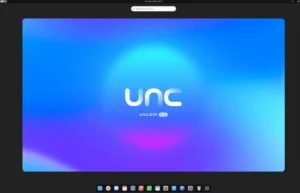
To streamline the setup, LainOS uses the Calamares installer. This choice ensures an accessible installation process while still offering enough flexibility for advanced users. After completing the initial configuration, the system boots into a clean and responsive desktop ready for customization.
Because the distribution is lightweight, it performs well even on modest hardware. At the same time, it provides a stable foundation for coding, testing, and general desktop use without unnecessary bloat.
An Aesthetic Rooted in Culture and Identity
LainOS is not just about performance; it resonates with fans of Serial Experiments Lain, a Japanese anime series that inspires the distribution’s aesthetic and philosophy. This blend of functionality and cultural reference makes it a distinctive choice for those seeking a unique computing experience.
Moreover, the project is developed by a single creator who shares progress through the community. Because of this personal touch, each update reflects careful design decisions rather than large corporate influence.
Official Resources and Community
You can explore the project on the official website or follow development updates through the community hub on Reddit. These two sources provide installation images, documentation, and progress announcements.
Getting Started
To begin exploring LainOS, create a bootable USB and run it in live mode. This allows you to test the system, adjust the layout, and experience the visual style before committing to a full installation. Once installed, the system remains fast, clean, and easy to maintain.
If you appreciate minimalism, thoughtful design, and an Arch-based foundation, this distribution offers a balanced environment ready for daily use.
Ready to Try LainOS?
- Download the ISO from the official site.
- Test the system in live mode to explore the interface.
- Install with Calamares and start customizing your workspace.