Rlxos is an independent, Xfce-based Linux distribution built around an immutable filesystem design. It targets users who want a dependable, tamper-resistant operating system that remains stable and consistent over time. By combining immutability with container-based application delivery, rlxos embraces a modern workflow that balances stability, portability, and flexibility. It integrates key technologies such as Distrobox, Flatpak, and the built-in Bolt AI assistant to create a system that is versatile enough for developers, learners, and daily desktop users.
An Immutable System Designed for Stability and Confidence
Immutability is the foundation of rlxos. Instead of allowing system files to change freely, rlxos locks down critical components to ensure that system integrity remains intact. This model provides a safer, more reliable computing experience because updates cannot break essential parts of the operating system. The core system remains untouched while user-level applications are layered on top through containers or sandboxed platforms. As a result, rlxos delivers predictable performance and reduces system maintenance complexity.
- Strong protection against accidental system damage.
- Predictable updates and consistent system states.
- Ideal for both newcomers and advanced users who want a stable base.
For many users, immutability also translates into peace of mind. Whether used in personal projects, educational settings, or development environments, rlxos keeps the system stable while still allowing advanced software capabilities through modern packaging systems.
Xfce as a Reliable and Efficient Desktop Environment
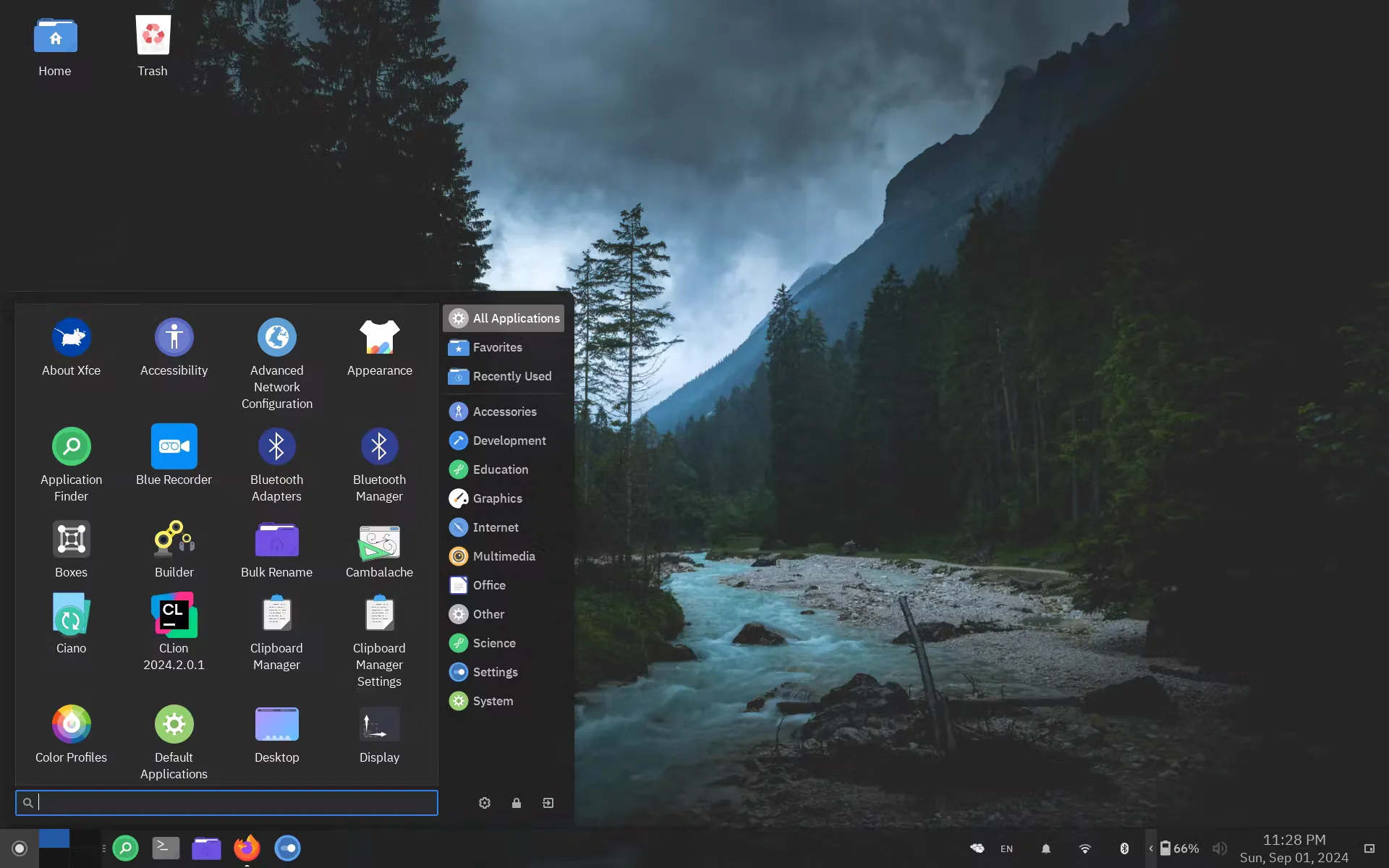
The default desktop environment in rlxos is Xfce, chosen for its balance of speed, simplicity, and reliability. Xfce has long been respected within the Linux community for its lightweight nature and consistent, no-frills approach to computing. On an immutable system such as rlxos, Xfce fits perfectly. It maintains a stable workflow without frequent large-scale changes, reducing the chance of desktop instability.
- Lightweight and fast on both new and older hardware.
- Predictable interface with long-term stability.
- Highly customizable while staying resource-efficient.
Because rlxos emphasizes core stability, Xfce becomes the natural choice. It performs reliably under container-heavy setups, making it suitable for developers, multitaskers, and those who want a productive and distraction-free environment.
Distrobox Integration: The Power of Multiple Linux Ecosystems
One of rlxos’s standout features is its built-in support for Distrobox, a container manager that allows users to run applications and command-line tools from other Linux distributions with ease. Distrobox uses containerization to create isolated environments without compromising the immutable base system. This design allows users to access software from Fedora, Ubuntu, Arch, openSUSE, or Alpine, among others, while still keeping the rlxos core locked down.
- Run applications from multiple distributions in parallel.
- Keep the main system untouched while experimenting freely.
- Combine rlxos stability with software ecosystems of your choice.
This flexibility is especially valuable for developers who need access to distribution-specific tooling or want to ensure compatibility with various environments. With Distrobox, rlxos becomes more than a stable platform—it becomes a universal development workstation.
Flatpak Support for a Secure and Universal Application Layer
rlxos includes first-class support for Flatpak, a sandboxed software system that simplifies application installation and maintenance. Flatpak applications run independently from the underlying system, which aligns perfectly with the immutable philosophy. Users can install, update, or remove apps without affecting the core OS.
- Apps stay isolated and secure.
- Large catalog of software via Flathub.
- Consistent performance across different Linux systems.
The presence of both Flatpak and Distrobox means rlxos can blend stable system architecture with cutting-edge applications—a combination that appeals to developers, students learning Linux, and professionals who rely on consistent environments.
Bolt AI Assistant: Intelligence Built Into the System
A modern distribution benefits from intelligent tools, and rlxos includes the Bolt AI assistant to support users in various tasks. Bolt AI integrates directly into the desktop environment, offering assistance with queries, system guidance, and productivity-related workflows. It creates a more interactive and user-friendly experience, especially for newcomers navigating the Linux ecosystem.
- Built-in conversational assistance.
- Useful for on-demand troubleshooting and quick answers.
- Supports learning, exploration, and system discovery.
This assistant enhances usability without compromising the system’s stable or immutable foundations. It acts as a bridge between efficiency and modern convenience, making rlxos more accessible to a broader audience.
A System Built for Today’s Users
rlxos succeeds in combining modern Linux technologies with a stable and secure design philosophy. It fits the needs of users who want long-term consistency, developers who depend on flexible environments, and learners who want a safe and intuitive platform for experimentation. Its integration of immutability, containerization, and sandboxed application delivery makes it a forward-thinking distribution that aligns with current industry trends.
- Stable core system protected by immutability.
- Access to applications from multiple Linux ecosystems.
- Efficient, resource-friendly, and highly usable desktop environment.
- Modern tools such as Flatpak and Bolt AI.
In a landscape where reliability and flexibility often conflict, rlxos creates a thoughtful middle ground. It ensures system safety while embracing modern software practices, making it a strong choice for a wide range of users.
Where to Download rlxos and Learn More
To explore rlxos, learn more about its features, or download the ISO, visit the official project website: