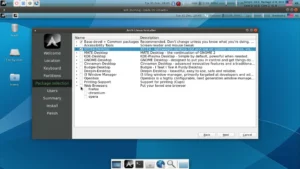
VailuxOS Linux Distribution positions itself as a welcoming and reliable entry point for anyone coming from Windows and exploring the Linux world for the first time. Built in Germany and based on Ubuntu’s Long-Term Support (LTS) branch, it offers a stable, secure, and long-lasting foundation designed for productivity, comfort, and predictability. While many Linux distributions aim for innovation and rapid changes, VailuxOS chooses a more grounded approach: it keeps workflows familiar, minimizes friction, and creates a desktop environment where users immediately feel at home.
This distribution was crafted with a simple goal: make the transition from Windows to Linux seamless. Every design decision, from the desktop selection to the workflow defaults, reflects this philosophy. Using the powerful and highly customizable KDE Plasma environment, VailuxOS provides a clean, polished, and effective user experience without overwhelming new users.
What Makes VailuxOS Stand Out?
Several distributions try to replicate the Windows feel, but VailuxOS does it strategically—focusing on workflow rather than imitation. It avoids copying the Windows interface pixel-by-pixel. Instead, it builds an environment that behaves predictably, responds quickly, and organizes tools in a familiar fashion.
By leveraging Ubuntu LTS, VailuxOS benefits from a huge software ecosystem, predictable long-term updates, and broad hardware support. This makes it well-suited not only for newcomers but also for professionals seeking a dependable daily driver.
KDE Plasma as the Core Desktop
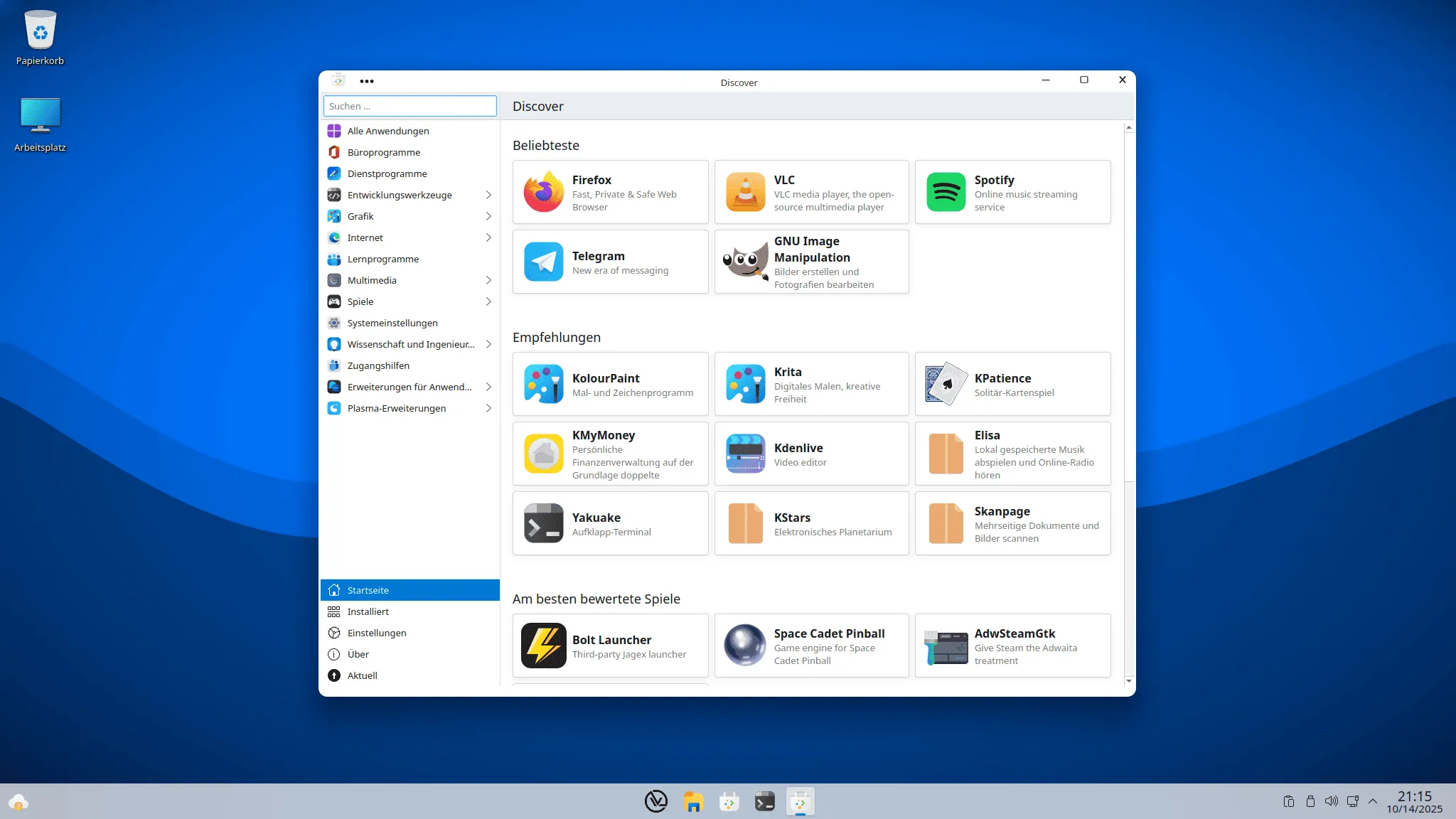
Choosing KDE Plasma is one of the strongest aspects of VailuxOS. Plasma is known for its speed, adaptability, and extreme customizability. For users coming from Windows, the layout is immediately intuitive: a bottom panel, an application menu, system tray icons, and fast window switching.
Here is why Plasma fits the mission of VailuxOS:
- Lightweight and efficient on modern hardware.
- Customizable to match user preferences or familiar Windows-like behavior.
- Consistent design language across apps and settings.
- Advanced features for power users, such as KWin tiling options, multiple desktops, and widgets.
Instead of presenting users with something radically different, VailuxOS offers a traditional and polished desktop that requires little to no relearning.
Ubuntu LTS at Its Core
Basing the system on Ubuntu LTS ensures a stable and predictable operating system with five years of security updates. This long support cycle is ideal for users who do not want frequent disruptive upgrades or unpredictable behavior.
Ubuntu LTS also grants access to:
- A mature package ecosystem through APT
- Flatpak and Snap availability
- Excellent hardware compatibility
- Strong community support and documentation
This makes VailuxOS not only beginner-friendly but also suitable for office environments, educational institutions, and long-term workstation setups.
Designed for a Smooth Windows-to-Linux Transition
Many users hesitate when considering a move to Linux, especially if they work daily with Windows tools. VailuxOS responds to this fear by making the transition simple and intuitive. Instead of forcing users to adapt to an unfamiliar environment, it embraces familiar patterns.
Newcomers will find:
- A start menu-style application launcher that looks organized and structured.
- Clear system settings inspired by familiar layouts.
- Consistent window controls and navigation methods.
- Straightforward installation and direct setup experience.
For users who still rely on Windows applications, VailuxOS also works well alongside solutions such as Wine, Bottles, Lutris, and virtual machines. Ubuntu’s strong compatibility ensures that Windows alternatives—or Windows apps themselves—can be deployed when needed.
Performance and Reliability as Priorities
One major advantage of VailuxOS is its balanced resource usage. While KDE Plasma has advanced features, it remains surprisingly light, allowing even older hardware to handle daily tasks efficiently. This makes VailuxOS excellent for users repurposing older laptops, small desktops, or business workstations.
Reliability also comes from the LTS foundation. Users receive:
- Timely security updates
- Stable kernel releases
- Predictable software behavior
- Long-term compatibility
For productivity-focused environments, this stability makes a substantial difference. Systems remain predictable, applications rarely break, and users can focus on their workflow instead of troubleshooting.
A Friendly Choice for Both Beginners and Professionals
Although VailuxOS was crafted with newcomers in mind, it is far from a “beginner-only” distribution. Professionals benefit from the KDE desktop’s advanced customization options and Ubuntu’s robust backend.
Developers enjoy access to:
- Broad programming language support
- Full container and VM compatibility
- Development environments for C, C++, Python, Rust, Go, and more
- Large repository of open-source tools
Meanwhile, content creators, students, and everyday desktop users appreciate the system’s simplicity, responsiveness, and consistent experience.
Ideal Use Cases for VailuxOS
Because of its design philosophy and technical foundation, VailuxOS fits several user profiles extremely well. Here are some ideal scenarios:
- New Linux Users — transitioning from Windows without stress.
- Home Offices — where stability and security are essential.
- Workstations — demanding predictable long-term operation.
- Developers — looking for a stable Ubuntu LTS environment.
- Students — who want a clean, functional, and distraction-free desktop.
- Businesses — wanting minimal maintenance and a reliable environment.
Its overall simplicity makes it suitable for almost any context where the user wants comfort and stability over experimentation.
Your Next Step With VailuxOS
If you want a Linux distribution that respects your habits, prioritizes familiarity, and provides a stable Ubuntu LTS foundation, VailuxOS is an excellent choice. It avoids unnecessary complexity and focuses on delivering a functional and welcoming desktop for all types of users.
The transition from Windows becomes simpler, and daily computing becomes more pleasant and consistent.
Download / Official Source
To explore the distribution, review its documentation, or download the ISO, simply visit the official website: Get Download of the ISO.