Kwort Linux is a CRUX-based, stands out as one of the purest expressions of simplicity, speed, and control in the desktop Linux world. Built on top of CRUX and driven by a philosophy of minimalism, the project offers a streamlined environment centered around the Openbox window manager, the lightweight GTK+ toolkit, and its flagship feature: the kpkg package manager. Designed for users who value efficiency and technical clarity, Kwort provides a stable and highly configurable environment without the overhead found in mainstream distributions.
This post explores what makes Kwort unique, how it aligns with advanced Linux principles, and why it continues to appeal to users who prefer a lean system tailored to their workflow. Whether you’re an experienced Linux user seeking an efficient Openbox-centric desktop or simply interested in independent distributions, Kwort offers a fascinating look at how simplicity and functionality can coexist.
Kwort Linux Distribution and Its CRUX Foundations
Kwort is derived from CRUX Linux, a distribution praised for its manual configuration approach and commitment to staying small and fast. While CRUX remains famously minimal, Kwort enhances the experience by providing key features that make the system more practical for daily desktop usage. This includes preconfigured Openbox, essential system utilities, and the addition of its own curated package management tool.
Compared to many Linux distributions that bundle numerous background services, graphical frameworks, and layers of abstraction, Kwort focuses on a compact structural design. The result is a system that boots quickly, runs efficiently, and leaves full control in the hands of the user.
Lightweight Desktop Experience with Openbox and GTK+
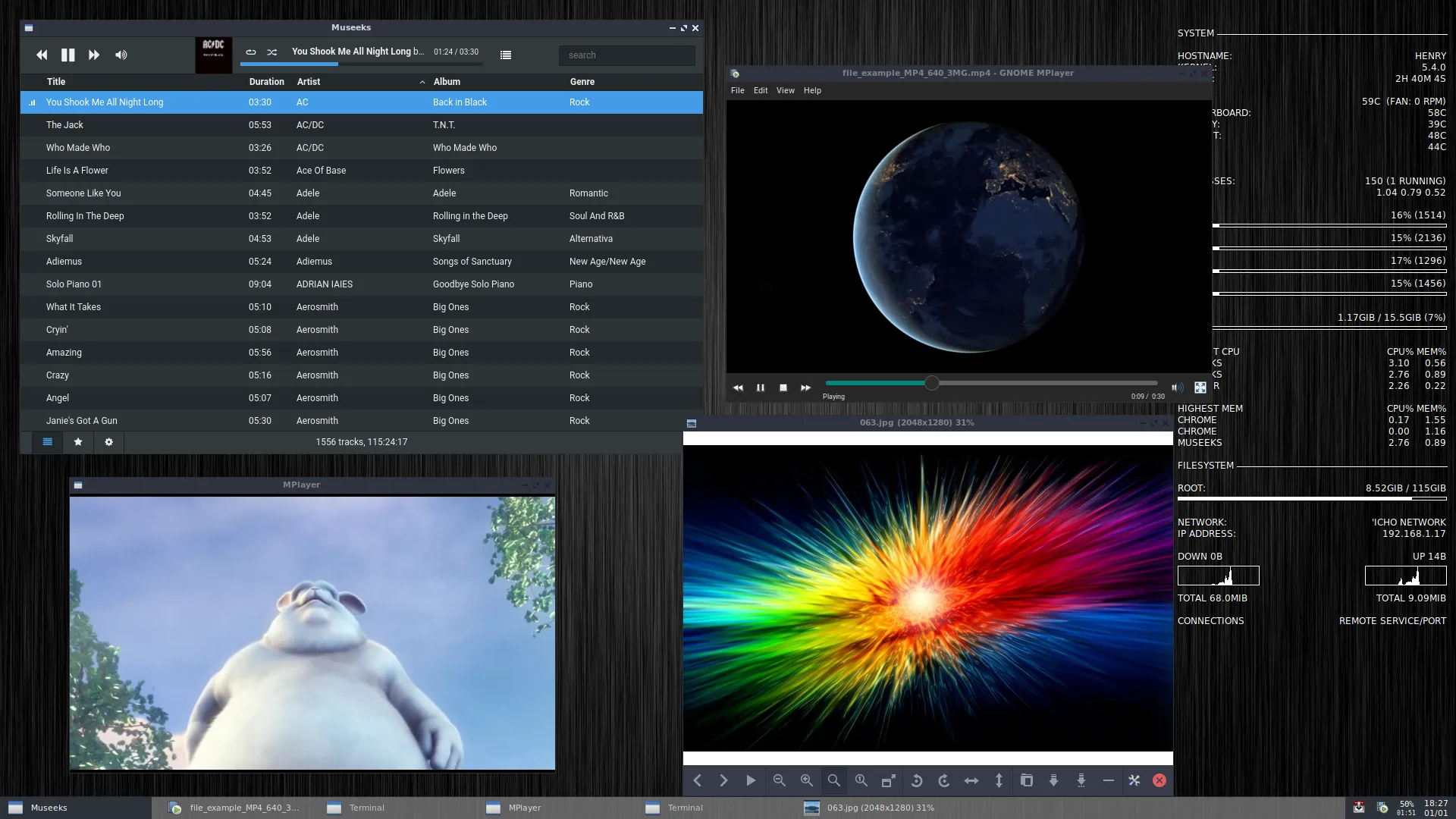
The desktop experience in Kwort revolves around Openbox, a window manager known for its speed and flexibility. Instead of relying on heavy desktop environments, Kwort offers a minimal layer that users can expand according to their needs. This focus on Openbox contributes to the system’s low resource usage, making it suitable even for older hardware or for users who prefer a clean and distraction-free setup.
GTK+ is used throughout the system to ensure lightweight graphical consistency. Users can easily customize themes, menus, and system tools, giving them a personalized interface without compromising performance. Because of its simplicity, Kwort is ideal for experimentation, customization, and learning.
The kpkg Package Manager: A Defining Feature of Kwort
While CRUX traditionally uses a ports-like package system, Kwort introduces kpkg, a fast and efficient package manager developed specifically for the distribution. With kpkg, users can retrieve binary packages from official mirrors, reducing manual compilation time and simplifying system maintenance.
- Fast package retrieval from optimized mirrors
- Simplified installation compared to CRUX’s source-based approach
- Curated repositories tailored to Kwort’s philosophy
- Easy dependency management for essential software
kpkg successfully bridges the gap between full source-based systems and binary-focused distributions, giving Kwort a distinctive balance between performance and usability.
Installation Options and System Flexibility
Kwort provides a traditional installation method that fits well with its minimalistic philosophy. While not as automated as other distributions, its installation process is straightforward and encourages users to understand their system. The installer configures the essential components, after which users can fine-tune the environment according to their preferences.
This approach reflects a broader goal: giving users a fast, efficient baseline system and allowing them to build upward. Kwort is ideal for:
- Users who value control and transparency in system configuration
- Fans of lightweight window managers like Openbox
- Enthusiasts who prefer independent distributions over mainstream alternatives
- Developers seeking a clean environment with minimal overhead
Performance, Stability, and Real-World Use Cases
One of the biggest strengths of Kwort Linux Distribution is its solid performance. Because it avoids heavy desktop ecosystems and unnecessary services, the system feels responsive even on modest hardware. Its CRUX roots provide reliability, while kpkg ensures access to essential tools without complex compilation steps.
Kwort excels in scenarios where efficiency matters — for instance, on older laptops, lightweight workstations, minimal VM setups, or systems where users want to maintain total control. The combination of Openbox, simple configuration files, and GTK+ tools makes it a practical choice for experienced users seeking predictable behavior.
Getting Started with Kwort Linux
If you’re interested in a distribution that embodies simplicity and speed without sacrificing essential functionality, Kwort is a compelling option. Its CRUX foundation, lightweight desktop, and kpkg package manager create a balanced environment suitable for daily use while remaining technically elegant.
You can explore more about the project, view documentation, or download the latest release directly from the links below. Kwort’s official resources provide installation instructions, package lists, and further details about the system’s philosophy and development.
Official website: https://kwort.org/
Download: https://kwort.org/download.html
Why Choose Kwort Linux for a Minimalist Desktop Experience
Kwort Linux Distribution shows how a lightweight system can thrive without unnecessary components or overwhelming complexity. Its optimized Openbox environment, GTK+ integration, and kpkg package manager form a clean, efficient desktop suited for advanced Linux users who appreciate speed and simplicity. If you’re searching for a distribution built on principles of clarity and performance, Kwort deserves your attention. For detailed information, community insights, and downloads, visit the official Kwort Linux website and explore its documentation.