mAid, previously known as FWUL (Forget Windows Use Linux), is a Manjaro-based Linux distribution featuring the Budgie desktop. It focuses on speed, minimalism, and ease of use, providing an efficient workspace for managing Android devices. With a custom installer, cross-platform remote control tools, Android utilities, and standard Linux applications, mAid delivers a ready-to-use system for productivity and mobile device workflows.
Purpose and Vision Behind mAid
mAid is designed to offer a small, fast, and hassle-free Linux experience specifically tailored for working with Android devices. It combines a lightweight desktop environment with essential tools for device management, allowing users to interact with mobile systems efficiently while maintaining a smooth desktop experience.
- Manjaro-based foundation with rolling-release updates.
- Budgie desktop for a modern, clean interface.
- Optimized for Android device management and development workflows.
- Custom installer to simplify system setup.
Key Features of mAid Linux Distribution
mAid comes equipped with tools and utilities designed to enhance productivity and interaction with Android devices. Its lightweight design ensures fast performance even on modest hardware while maintaining a polished and user-friendly interface.
- Custom Installation Program: Streamlines setup with minimal user intervention.
- Cross-Platform Remote Control Utility: Manage devices seamlessly from Linux, Windows, or macOS systems.
- Android Device Tools: Utilities for file transfer, debugging, and maintenance tasks.
- Pre-installed Linux Applications: Includes essential software for everyday desktop work.
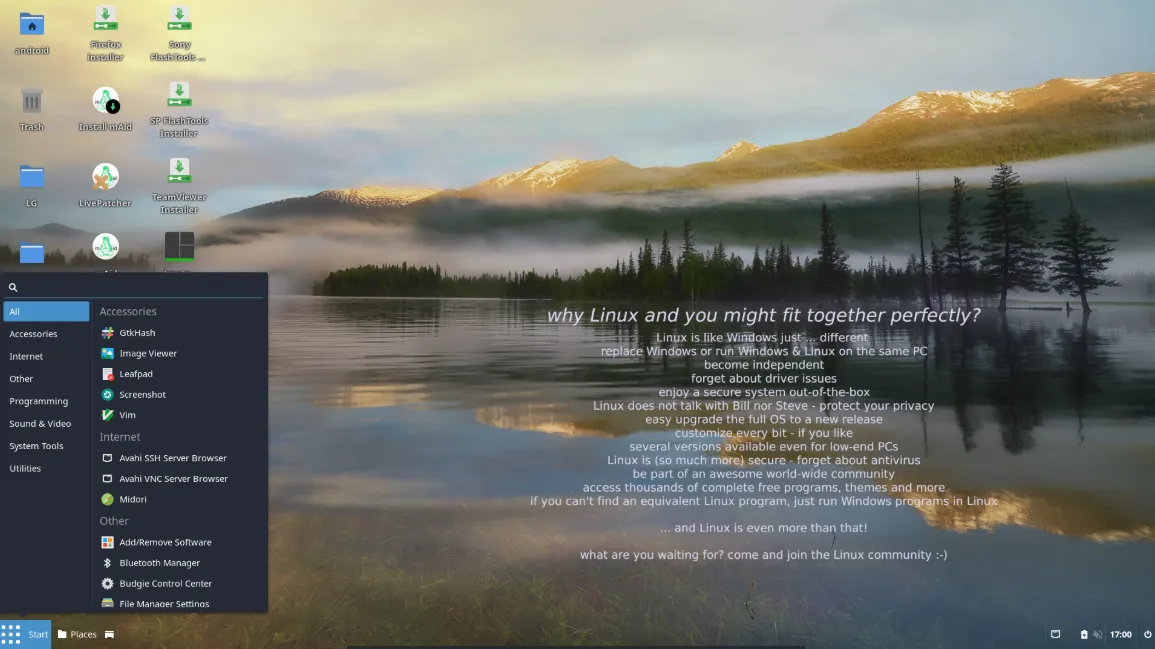
Budgie Desktop: Modern and Lightweight
Budgie provides a sleek and intuitive interface optimized for speed and usability. Its lightweight footprint ensures that mAid remains responsive, while offering a visually appealing and productive environment for users who interact regularly with Android devices.
- Clean and intuitive interface with minimal distractions.
- Optimized for performance without sacrificing usability.
- Highly configurable with panels, applets, and themes.
Android Device Management Made Easy
One of the core strengths of mAid is its focus on Android device workflows. Tools and utilities included in the distribution simplify tasks such as file transfers, debugging, and remote access, making it a practical choice for developers, testers, and tech-savvy users.
- Seamless connectivity with Android devices via USB or network.
- Remote control and management tools integrated out of the box.
- Pre-configured utilities to reduce setup time for common tasks.
Why mAid Stands Out
mAid combines the stability and flexibility of Manjaro Linux with a lightweight desktop and specialized Android tools. Its custom installation process, minimal overhead, and focus on productivity make it ideal for users seeking a fast, simple, and functional Linux desktop optimized for mobile device workflows.
Getting Started with mAid
To explore mAid, review its tools, or download the ISO, simply visit the official website: