OsoLinux is a Fedora-based desktop Linux distribution optimized for multimedia and gaming use. Designed for both everyday desktop users and gaming enthusiasts, it combines the stability of Fedora’s foundations with performance-focused tweaks, pre-installed applications, and the sleek KDE Plasma desktop environment. By including a complete development environment, multimedia codecs, and emulator tools out-of-the-box, OsoLinux ensures users can jump straight into work or play without additional setup.
Who Should Use OsoLinux
OsoLinux targets users who require a fully-featured desktop for productivity, multimedia creation, and gaming. It is suitable for: hobbyists, students, content creators, and developers who prefer a ready-to-use Fedora-based system without the need for extensive post-install configuration. Its gaming enhancements and emulator tools also make it a compelling option for Linux gamers seeking stability and performance.
Core Features and Desktop Experience
- KDE Plasma desktop — fully integrated with OsoLinux for a modern, responsive user experience.
- Pre-installed development environment — includes compilers, interpreters, and essential development libraries for coding and testing applications.
- Multimedia and office apps — VLC, Audacity, LibreOffice, GIMP, and other essential tools pre-installed.
- Emulator tools — Play classic console and retro games without additional setup.
- Kernel optimization — latest Linux kernel included for improved hardware support, performance, and gaming responsiveness.
- Touchpad and input enhancements — default tap-to-click and gesture configurations for modern laptops.
- Fedora-based — benefits from Fedora’s security, updates, and package ecosystem.
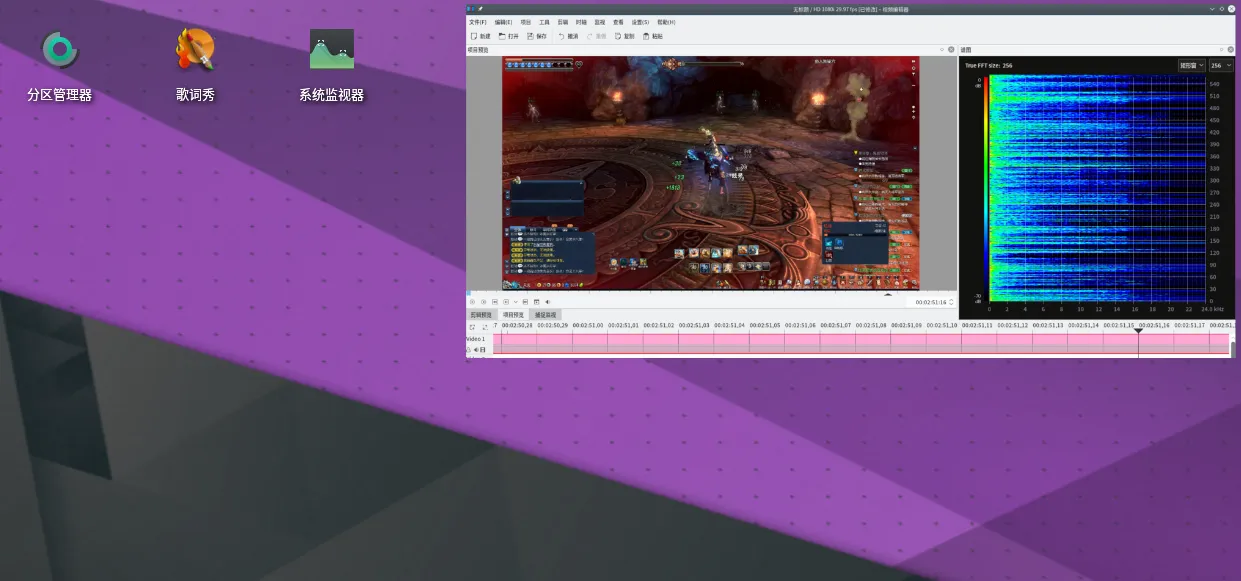
Gaming on OsoLinux
OsoLinux emphasizes gaming out-of-the-box. The distribution provides necessary drivers for modern graphics cards, pre-installed Vulkan support, and emulator software to run games from older consoles. By integrating performance tweaks into the kernel and desktop environment, the system ensures smooth framerates and low-latency input, making it ideal for both casual and competitive gaming sessions.
- Supports Steam, Lutris, and Wine for running Windows games.
- Includes retro gaming emulators such as RetroArch, DOSBox, and SNES/Famicom emulators.
- Optimized GPU driver support for AMD and NVIDIA cards.
- High-performance I/O and scheduler tweaks for better gaming experience.
Multimedia and Productivity
OsoLinux is not just for gaming. Its KDE Plasma desktop offers productivity-focused workflows, complete office suites, and multimedia creation tools. Users can edit images in GIMP, mix audio in Audacity, create videos with Kdenlive, and work with office documents seamlessly. Pre-configured touchpad and input settings enhance user experience, especially on laptops, while the pre-installed development environment ensures coders and hobbyist developers can start immediately.
- Audio editing: Audacity, Ardour
- Video editing: Kdenlive, Shotcut
- Image editing: GIMP, Krita
- Office productivity: LibreOffice suite
- Development: GCC, Python, Node.js, and other popular libraries
Installation and System Requirements
OsoLinux offers a live ISO that can be booted from USB or DVD for testing before installation. Users can choose a simple guided installer to set up partitions, keyboard layouts, and timezone, or customize the installation for specific hardware configurations. The distribution works efficiently on modern hardware but can also run on mid-range desktops and laptops optimized for multimedia and gaming.
- CPU: Dual-core 2 GHz or higher
- RAM: 4 GB minimum, 8 GB recommended
- Disk space: 30 GB minimum
- Graphics: GPU with Vulkan support for gaming, Intel integrated also supported
- Display: 1080p recommended, KDE Plasma optimized for high-DPI screens
Community, Documentation, and Support
OsoLinux has an active community in forums and social media channels where users share tips, software tweaks, and gaming optimizations. Comprehensive documentation covers installation, hardware setup, software configuration, and troubleshooting. Developers and advanced users can contribute to packages, tweaks, and scripts to extend the system’s capabilities.
Getting Started with OsoLinux
To explore OsoLinux, check its features, or download the latest ISO, visit the Get Download of the ISO. The official website provides installation guides, release notes, and instructions for setting up multimedia and gaming tools quickly.