Predator-OS is a Debian-based Linux distribution crafted for penetration testing, ethical hacking, privacy, and anonymity. Built to provide security professionals, developers, and privacy-conscious users with a reliable platform, Predator-OS comes equipped with over 1,200 pre-installed tools across 40 categories. The system supports multiple desktop environments, including customized KDE Plasma, LXQt, MATE, and LXDE, each with tailored menus and pre-configured settings to maximize efficiency and usability.
Designed as a live medium or fully installable system, Predator-OS ensures that users can deploy it on USB drives, virtual machines, or hard disks. Its configuration prioritizes defense and privacy, making it suitable for penetration testers, ethical hackers, and users who want a secure, privacy-respecting environment out of the box.
Comprehensive Toolset for Security and Hacking
Predator-OS includes a vast collection of tools for security testing, privacy enhancement, and ethical hacking. The pre-installed software is sourced from Debian repositories as well as GitHub pages, ensuring the latest stable versions of critical utilities are available. Key categories include:
- Network scanning and analysis
- Vulnerability assessment and exploitation frameworks
- Password cracking and recovery tools
- Web application testing suites
- Forensics and reverse engineering utilities
- Privacy and anonymity tools including VPN, Tor, and encryption software
- Custom firewall and defensive utilities
This extensive toolkit empowers security professionals to perform comprehensive penetration tests and maintain maximum privacy without manually installing additional applications.
Secure by Default
Predator-OS emphasizes security at every level. Kernel and user configurations have been optimized to prevent unauthorized access, minimize attack surfaces, and reduce the risk of compromise. The system integrates multiple built-in firewalls and defensive tools to give end-users complete control over network traffic and system behavior.
The distribution’s privacy-focused design includes pre-configured settings that protect sensitive data, ensure anonymity when browsing or conducting research, and make it resilient against common attacks targeting default system configurations.
Flexible Desktop Environments
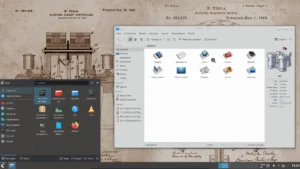
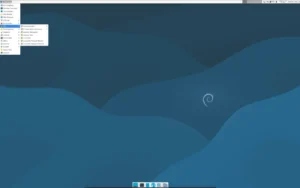
Predator-OS provides a choice of four desktop environments: KDE Plasma, LXQt, MATE, and LXDE. Each environment has been tailored to suit specific user needs:
- KDE Plasma: A modern and feature-rich environment suitable for power users and multitasking workflows.
- LXQt: Lightweight and fast, perfect for older hardware or users who prefer simplicity.
- MATE: Traditional and stable, offering a familiar interface with efficient performance.
- LXDE: Ultra-lightweight, ideal for minimal resource usage while maintaining full functionality.
This flexibility allows Predator-OS to run on a wide range of devices, from high-performance desktops to resource-limited systems, without compromising security or usability.
Live Mode and Installation Options
Predator-OS can be run in live mode directly from a USB drive, allowing users to explore the system, test tools, and perform tasks without altering the host machine. For full deployment, the distribution offers a straightforward installation process with preconfigured security settings and desktop environment selection.
The live mode also makes Predator-OS suitable for portable security labs or fieldwork, giving users the flexibility to operate securely on multiple devices.
Target Audience and Use Cases
Predator-OS is ideal for security professionals, penetration testers, ethical hackers, developers, and privacy-conscious users who demand a robust, secure, and flexible Linux environment. Common use cases include:
- Conducting penetration testing and vulnerability assessments
- Ethical hacking and cybersecurity training
- Ensuring privacy and anonymity for online research or communications
- Deploying portable security labs via live USB
- Running secure workstations with a variety of desktop environments
Its pre-configured security and privacy features allow users to focus on tasks rather than manual configuration, making it a practical solution for professionals and enthusiasts alike.
Get Download of the ISO
To explore Predator-OS, review its documentation, or download the ISO, simply visit the official website: Get Download of the ISO.