UBLinux is an Arch-based Linux distribution developed by Yubitex, a Russian technology company focused on delivering modern, flexible, and secure desktop and server solutions. The distribution is offered in four editions, with the “Basic Desktop” variant available as a free download for personal and non-commercial use. This edition uses the Xfce desktop environment and includes a complete set of applications for internet browsing, office work, multimedia, and graphic tasks. Additional editions — UBLinux Education, UBLinux Desktop Enterprise, and UBLinux Server — expand the platform into professional, academic, and commercial environments, offering broader capabilities and enterprise-grade features.
Positioned as an adaptable system with a clear separation between personal-use and commercial products, UBLinux aims to meet the needs of learners, professionals, institutions, and organizations that require reliability and controlled workflows. Its Arch-based foundation enables access to fresh software, regular rolling updates, and a modern Linux experience backed by curated packages from Yubitex, improving system stability and user consistency.
The Concept Behind UBLinux
UBLinux was created to bridge the gap between beginner-friendly desktops and enterprise-ready Linux ecosystems. While many Arch-based systems focus on do-it-yourself customization, UBLinux provides a more structured, curated approach that maintains the flexibility of Arch while reducing complexity for end-users. Its tiered product model reflects a broader mission: to support individuals with a polished personal desktop while delivering robust, secure, and compliant platforms for schools, organizations, and businesses.
The distribution emphasizes ease of setup, predictable updates, and ready-to-use applications. This eliminates the steep learning curve often associated with Arch-based environments, making UBLinux accessible to users who want the power of rolling-release Linux without building everything from scratch. The commercial variants extend the model with security enhancements, policy management, and integration with professional workflows.
UBLinux Editions and Their Purposes
- UBLinux Basic Desktop: A free personal-use edition featuring the Xfce desktop, preloaded software, multimedia tools, productivity applications, and a simple, clean user experience.
- UBLinux Education: Built for academic environments, offering tools for learning, classroom management, and controlled digital workspaces.
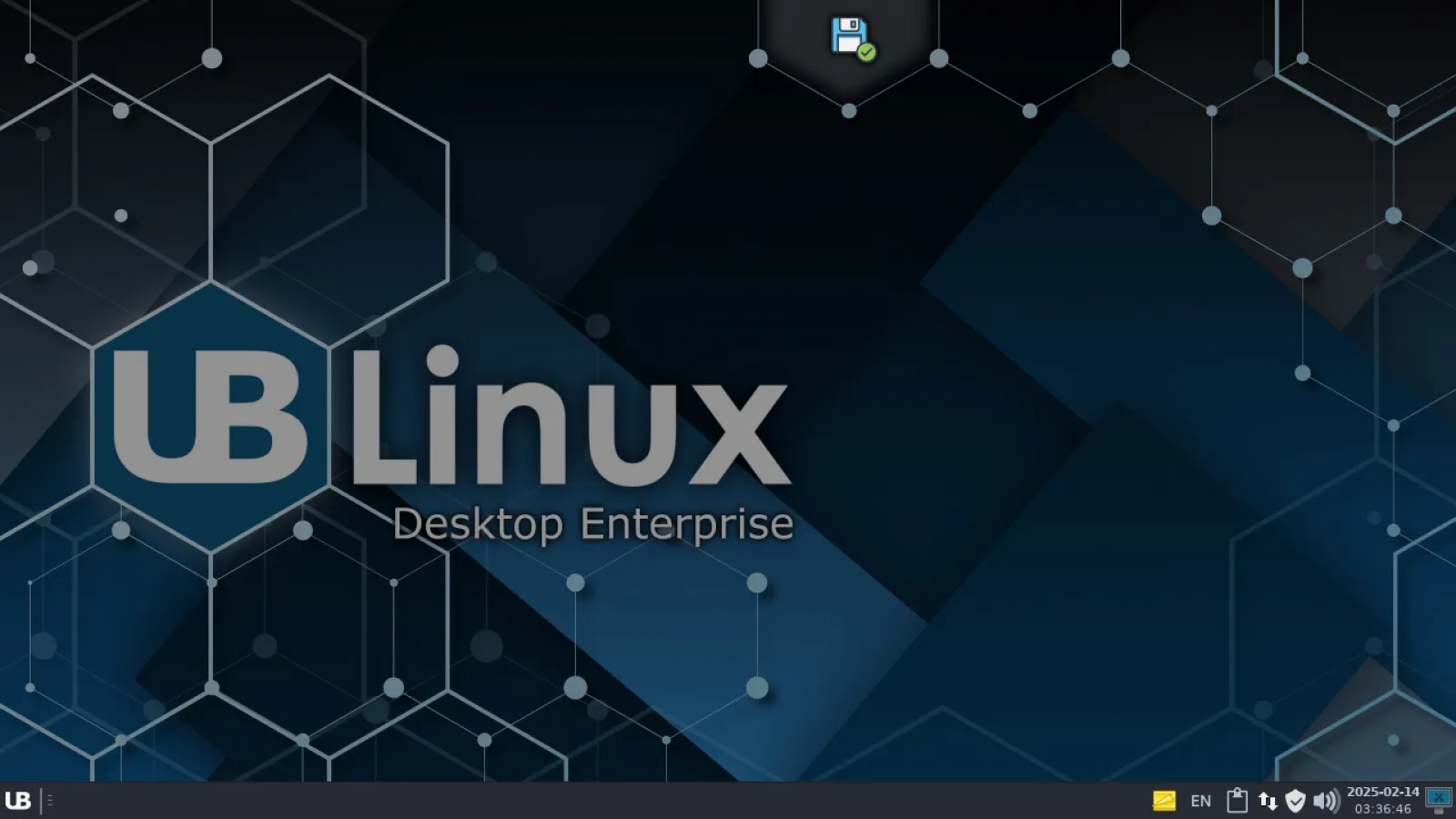
- UBLinux Desktop Enterprise: Designed for companies requiring enhanced security, stability, and standardized workflows.
- UBLinux Server: A business-grade server system optimized for secure hosting, internal services, and organizational infrastructure.
This multi-edition structure makes UBLinux suitable not only for home users but also for institutions and enterprise environments where predictable maintenance and centralized control matter.
User Experience with the Basic Desktop Edition
The Basic Desktop edition uses Xfce as its primary desktop environment, chosen for its balance of speed, simplicity, and stability. Xfce enables a smooth user experience on both modern and older hardware, making UBLinux accessible across a wide range of systems. Themes, menus, and panel arrangements are customized to provide an efficient interface that requires little configuration for daily tasks.
The distribution includes popular software for browsing, office productivity, video and audio playback, and basic design work. Its software selection presents a ready-out-of-the-box environment ideal for users who prefer a lightweight system that is immediately functional upon installation. UBLinux avoids bloat while maintaining practicality, a balance that appeals to home desktops, students, and lightweight workstation setups.
Performance and Reliability
As an Arch-based distribution, UBLinux benefits from rolling updates that keep software fresh and aligned with current technologies. However, Yubitex adds quality-control layers that help reduce the risk typically associated with rolling systems. This includes package curation, stability testing, and structured update flows that aim to prevent system breakage during routine upgrades.
Performance remains a strong point thanks to the lightweight Xfce environment and optimized system settings. The distribution runs smoothly on mid-range and older hardware, making it suitable for both revitalizing legacy machines and powering modern desktops that prioritize responsiveness and speed.
Ideal Use Cases for UBLinux
- Home users who want a dependable Arch-based system without complex manual setup.
- Students and educators using the Education edition for school workflows and learning environments.
- Businesses requiring standardized desktops with long-term maintenance and support.
- Lightweight workstation setups that rely on Xfce’s speed and efficiency.
- Users who prefer rolling-release models but want curated software and stable updates.
UBLinux stands out as a practical alternative for those who want Arch flexibility combined with guided configuration and edition-specific enhancements tailored for real-world environments.
Why UBLinux Appeals to Both Individuals and Organizations
The distribution’s combination of a stable, user-friendly desktop and enterprise-ready commercial editions positions it uniquely in the Linux landscape. It caters to a wide spectrum of users without sacrificing polish or practicality. Yubitex’s structured model ensures consistent updates, professional support options, and a dependable environment for production workflows, while personal users benefit from a free and lightweight Arch-based experience.
This versatility allows UBLinux to function as both a personal desktop and a professional tool, adapting to different needs with minimal friction.
Getting Started with UBLinux
UBLinux offers a flexible, practical, and user-friendly Linux experience built on top of an Arch foundation and enhanced with curated updates and ready-to-use editions. Whether you are exploring the Basic Desktop for personal use or evaluating the enterprise or education editions, the distribution provides a consistent and efficient environment for multiple use cases.
To explore the project, view documentation, or download the latest ISO: