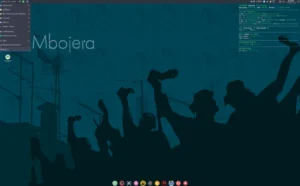
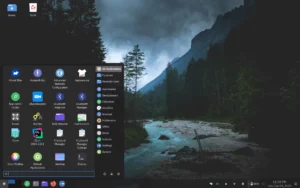
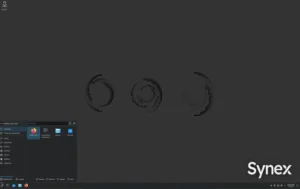
Vitalinux is an Ubuntu-based distribution that offers a focused Linux experience designed for schools, offices, and organizations that value stability and simplicity.. Designed with pragmatic defaults, it delivers a clean desktop, managed updates, and essential productivity tools so IT teams can deploy and maintain systems with minimal overhead.
What Vitalinux Delivers Out of the Box
First, the distribution includes a curated set of applications that meet typical institutional needs. In addition, system updates and security patches arrive via a managed channel, which reduces administrative work. Moreover, the visual layout stays uncluttered so users can focus on tasks without distraction.
- Stable base with long-term support components
- Preinstalled productivity apps and educational tools
- Easy deployment options for machines in labs and offices
- Centralized update and configuration mechanisms
- Lightweight footprint suitable for older hardware
Deployment and Management
Administrators can create an image once and replicate it across multiple machines. Therefore, rollouts become predictable and repeatable. Additionally, administrative tools simplify user account provisioning and policy enforcement. As a result, teams spend less time fixing desktops and more time on strategic IT tasks.
If you need more advanced customization, the distribution supports configuration hooks and automation scripts, enabling IT to adapt the image to local requirements without breaking core update workflows.
Performance and Compatibility
Because the system prioritizes a lightweight stack, machines boot faster and applications respond more quickly on constrained hardware. In practice, this extends the usable life of older PCs and lowers total cost of ownership. Furthermore, compatibility with common office peripherals and network services is tested to avoid unexpected surprises during deployment.
Security and Updates
Security receives clear focus: updates arrive through a managed pipeline that administrators control. Consequently, you can stage updates, validate them, and then push across your fleet. Also, the default configuration locks down unnecessary services to reduce attack surface while preserving user productivity.
Who Should Use This Distribution?
Schools, municipal offices, and small enterprises that need reliable desktops without heavy maintenance will find this distro particularly useful. In short, if you want predictable behavior, low maintenance, and a system that works well on older hardware, this is a practical choice.

Try It: Quick Start Checklist
- Download the official ISO from the project site or mirror.
- Create a bootable USB using a standard tool (Rufus, dd, Etcher).
- Test the live environment on one machine to confirm drivers and peripherals.
- Customize the image for your network settings and local policies.
- Deploy to target machines and enable staged updates.
For more information and the official downloads, consult the project page: Vitalinux official site (replace with the actual URL for your environment).
Why This Distribution Stands Out
Overall, the distribution balances ease of use with enterprise-friendly features. It avoids unnecessary complexity while providing the tools that institutions need to operate smoothly. If your priority is a managed, low-friction desktop that scales across classrooms or offices, this solution deserves evaluation.
Download a test ISO, run the live environment from USB, and validate it on your hardware. Then, plan a staged rollout for a controlled and predictable deployment.