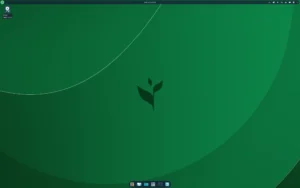
Xray_OS is an Arch-based Linux distribution built for users who value innovation, creativity and a frictionless workflow. Designed around the KDE Plasma desktop, the system blends a polished visual experience with powerful development-oriented features. It also provides its own custom installer and a streamlined setup path suited for beginners and advanced users who want a flexible Arch environment without manual installation steps.
In this post, we explore what makes Xray_OS unique, how the distribution optimizes hardware detection, why developers benefit from its curated toolset, and how its creative vision influences usability and design. Keywords: Xray_OS Linux distribution, Arch-based KDE Plasma, Tolitica welcome app, smart GPU detection.
Designed for Creators, Developers and Power Users
At its core, Xray_OS focuses on providing a refined environment where users can build, design or program without unnecessary distractions. KDE Plasma delivers a modern, customizable interface, while the distribution adds visual enhancements, original wallpapers and usability tweaks to help users stay productive. Everything is tuned to offer a seamless experience from boot to desktop, especially for those building software or crafting digital content.
This emphasis on creativity appears not only in its visuals but also in how the system behaves out of the box: intuitive controls, minimal bloat and quick access to useful system tools integrated directly into the workflow.
A Custom System Installer for Faster Setup
Xray_OS ships with its own custom system installer, offering users a simple and guided installation through a clean interface. You gain the benefits of an Arch-based distribution without needing to configure partitions, packages or drivers manually. The installer handles essential tasks automatically while still giving you control when needed.
It is a balanced approach: simple enough for newcomers, powerful enough for seasoned Linux users who prefer to avoid long manual setups.
Tolitica: A Welcome App that Streamlines System Configuration
One of the highlights of Xray_OS is Tolitica, the welcome application presented after installation. It’s more than a basic greeter; it provides quick access to key system functions, including:
- recommended system updates
- desktop and appearance settings
- important documentation
- package installation helpers
- useful post-installation options
Tolitica helps new users get comfortable immediately while giving experienced users shortcuts to common system tasks.
Smart GPU Detection That Removes Unused Drivers
A distinctive feature of Xray_OS is its intelligent GPU detection during installation. The system automatically identifies your hardware and removes irrelevant or unused drivers. This not only reduces system clutter but also prevents driver conflicts that could impact performance or cause graphical issues after installation.
This approach keeps the system lightweight and optimized, especially for users switching between Intel, AMD or NVIDIA-based setups.
Powerful AUR Helper for On-the-Fly Package Building
As an Arch-based distribution, Xray_OS gives access to the Arch User Repository (AUR)—one of the largest collections of community-driven packages in the Linux ecosystem. To make this process easier, the distribution includes an AUR helper capable of downloading and compiling packages on demand.
This means users don’t need to configure build tools manually; the helper automates the process, ensuring up-to-date access to development libraries, IDEs, creative tools and niche applications unavailable in standard repositories.
Unique Visual Identity with Original Wallpapers
Xray_OS enhances the KDE Plasma experience with a curated set of original wallpapers designed specifically for the distribution. These visuals reinforce the system’s creative DNA and give the desktop a branded, polished feel. Combined with Plasma’s rich customization capabilities, users can craft a desktop that aligns with their workflow and aesthetic preferences.
Download Xray_OS
You can download Xray_OS and access official documentation from the project’s site:
Official Website