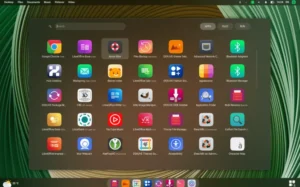
YunoHost is a Debian-based distribution created to make self-hosting simple, fast, and accessible to anyone. While traditional server administration often demands deep technical knowledge, YunoHost transforms this experience by offering an intuitive web-based control panel, a streamlined command-line utility, and automated deployment workflows for hosting web applications. Its goal is clear: empower users to run their own servers with minimal friction, maximum control, and strong security defaults.
What YunoHost Aims to Solve
Running a personal or small-business server has always involved a steep learning curve. Between configuring a web server, setting up DNS, managing SSL certificates, and deploying applications, many users feel overwhelmed before they even begin. YunoHost addresses these challenges by eliminating complex manual setup steps and replacing them with a guided, automated approach that reduces the need for deep system administration knowledge.
Whether the goal is to host a private cloud, run communication tools, deploy business applications, or manage a personal website, YunoHost provides a unified system that centralizes these tasks in a secure and user-friendly environment.
A Clear Focus on Self-Hosting
The distribution is designed specifically for self-hosting. This means its core philosophy revolves around giving users autonomy over their data and the services they rely on. Instead of depending on external providers or proprietary platforms, YunoHost allows users to run their own infrastructure on a VPS, a home server, or even a Raspberry Pi.
By integrating user management, DNS configuration helpers, backup tools, and automated certificate generation via Let’s Encrypt, YunoHost offers a complete ecosystem optimized for self-reliance. This gives individuals and small teams an excellent alternative to commercial cloud services.
The Web-Based Administration Panel
One of the strongest features of YunoHost is its web-based admin panel. The interface is clean, efficient, and ideal for users with limited server experience. It centralizes every essential function, allowing administrators to:
- install and remove applications,
- manage services and system settings,
- create and manage users,
- monitor system performance,
- configure domains and DNS helpers,
- obtain and renew SSL certificates,
- prepare and restore backups,
- inspect logs and service states.
This control panel is one of the reasons YunoHost stands out from traditional server distributions. Users can complete in minutes tasks that normally require dozens of terminal commands.
The Command-Line Utility: Power for Advanced Users
Although the web interface is highly accessible, YunoHost also provides a custom command-line utility with full administrative capabilities. The CLI tool mirrors the options found in the web interface but offers more control and speed for users who prefer working through the terminal.
Experienced administrators will appreciate how the CLI integrates with the underlying Debian system while maintaining a structured command set designed around YunoHost’s architecture. It allows advanced actions, automation, and quicker execution of repeated tasks.
Application Deployment: One-Click Installations
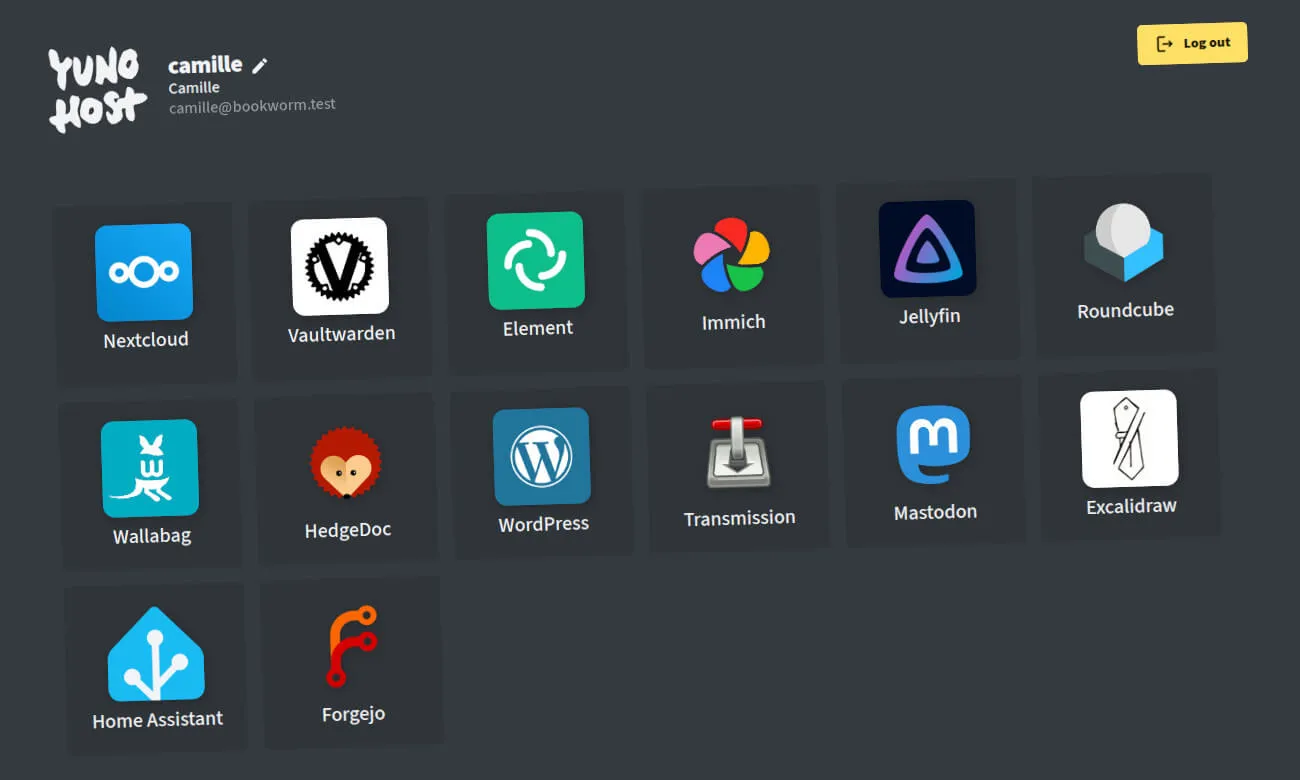
A defining characteristic of YunoHost is its support for one-click installations of dozens of popular self-hosted applications. Instead of manually configuring web servers, databases, and permissions, users simply select an application from the catalog and let YunoHost automate the deployment process.
Some of the most common applications available include:
- Nextcloud for cloud storage and collaboration,
- WordPress for personal and business websites,
- Jellyfin for media streaming,
- Mastodon for decentralized social networking,
- Gitea for lightweight Git hosting,
- Matrix Synapse for encrypted communication,
- Roundcube for webmail access.
This ecosystem grows continuously thanks to an active community maintaining and contributing new application packages. The simplicity of installation dramatically reduces the barrier of entry for self-hosting.
User and Access Control
YunoHost integrates user management at the core of its system. Administrators can create accounts, assign permissions, and define access levels for different services. This feature is essential for multi-user environments, allowing families, small businesses, or community groups to share services safely and efficiently.
It also includes built-in Single Sign-On (SSO) capabilities, meaning users can authenticate once and access multiple installed applications without repeated logins. This enhances usability while maintaining secure authorization flows.
Security-Focused by Design
Security is one of the primary value propositions of YunoHost. The distribution implements a number of protective mechanisms that operate automatically or with minimal configuration:
- automatic firewall management via sensible defaults,
- fail2ban integration for intrusion protection,
- Let’s Encrypt support for HTTPS with quick certificate setup,
- secure default configuration of major services,
- automatic system updates (optional but recommended),
- centralized user permission controls.
Because YunoHost targets users who may not be security professionals, these protections are incredibly important. They help keep servers safe while still offering an easy and frictionless administration experience.
Backup and Restore Capabilities
Self-hosting requires careful planning around data integrity. YunoHost includes integrated tools for creating and restoring full or partial backups of applications, settings, and system components. Administrators can schedule backups or perform them manually through the panel or command-line tools.
These backups can be stored locally or sent to external storage solutions. When combined with the distribution’s structured packaging system, restoring a system after hardware failures or migrations becomes straightforward.
Installing and Running YunoHost
YunoHost supports a wide range of environments, making it easy for users to adopt the distribution regardless of their preferred infrastructure. Installation is available for:
- standard x86 hardware,
- VPS hosts,
- home servers,
- Raspberry Pi boards and other ARM devices,
- virtual environments using tools like VirtualBox or Proxmox.
This flexibility makes YunoHost practical both for personal usage and for more complex setups like coworking spaces, NGOs, educational environments, and community networks.
Performance and System Behavior
Because it is built on Debian, YunoHost offers stable performance and predictable system behavior. Services remain efficient, resource usage is moderate, and the overall environment feels reliable even under load. The automated configuration does not come at the cost of performance; instead, it produces a standardized and optimized environment that eliminates many common misconfigurations.
Whether hosting a single web application or managing a large suite of tools, YunoHost maintains strong performance characteristics across scenarios.
Who Should Use YunoHost?
YunoHost suits a wide variety of users, including:
- Beginners who want to self-host without deep technical knowledge,
- Privacy-focused users who prefer control over their personal data,
- Families hosting shared online services for communication and storage,
- Small businesses or organizations looking for an all-in-one internal server solution,
- Developers who want an easy platform for deploying tools or prototypes,
- Communities building collaborative or social platforms.
The distribution’s straightforward server model and extensive application library make it suitable for almost any self-hosting scenario.
Why YunoHost Continues to Stand Out
YunoHost provides a powerful and remarkably accessible approach to self-hosting. With its Debian foundation, intuitive web administration panel, command-line management tool, strong security defaults, and large selection of ready-to-install applications, it simplifies tasks that are traditionally difficult and time-consuming. It offers autonomy, privacy, and control while remaining beginner-friendly. For anyone seeking to manage their own services without the complexity of manual server configuration, YunoHost stands as one of the most user-friendly options in today’s Linux ecosystem.
To explore YunoHost, review its features, or download the ISO, simply visit the official website: Get Download of the ISO.